
Kitchens and caterers
Know what a pot really costs you. Cost the recipe, count the stock, invoice the corporate client and track who still owes you. Professional and up.
For restaurants, bars, lounges, caterers and hotel kitchens.
Know what each plate costs you and who collected each bill, before the day ends.
A point of sale, table service and accounting app for Nigerian restaurants, bars and lounges. For hotels, it runs the restaurant and bar, not rooms or bookings.
Know what a pot really costs you. Cost the recipe, count the stock, invoice the corporate client and track who still owes you. Professional and up.
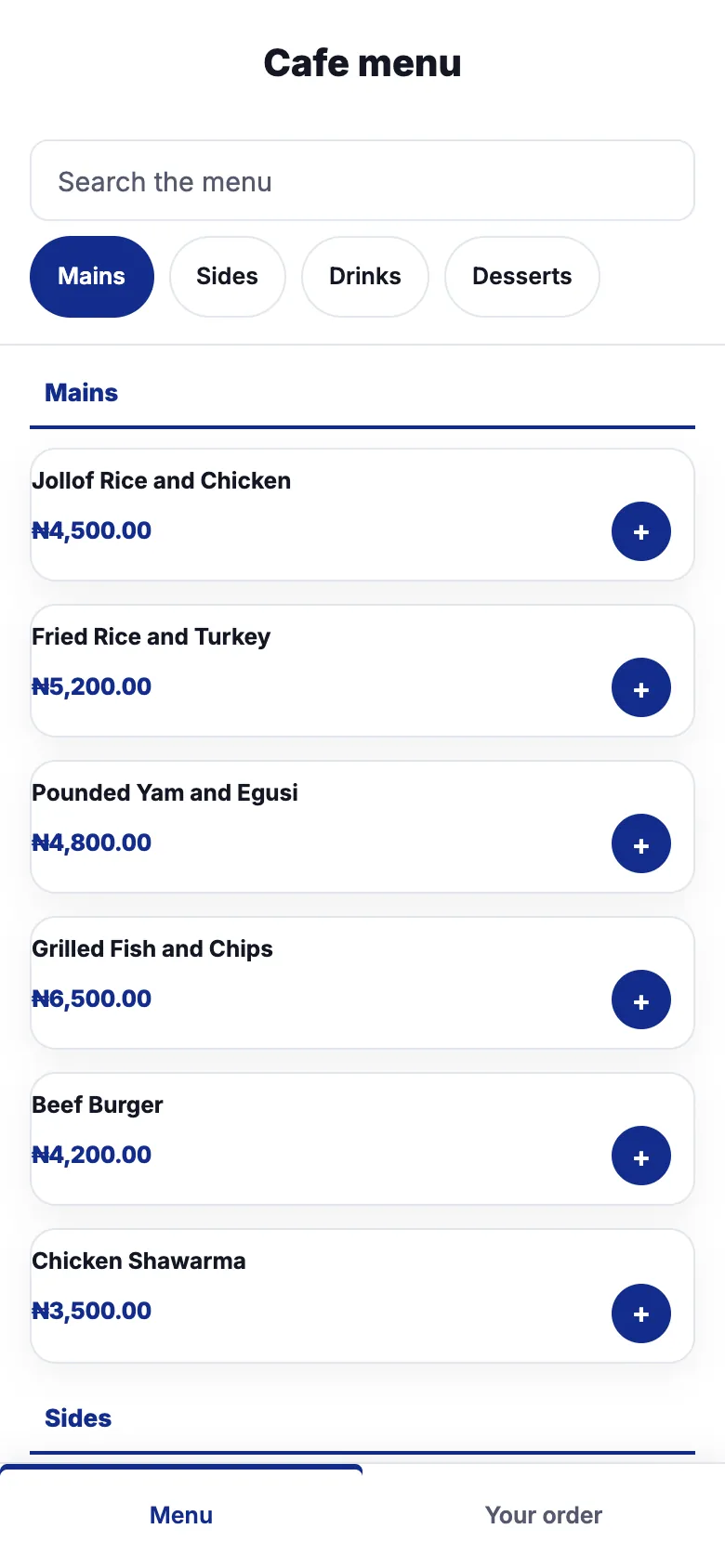
Professional and Enterprise publish your menu on a QR code. On Enterprise, guests order from the table.
| Professional | Enterprise | |
|---|---|---|
| Till with split payments and card terminals | ✓ | ✓ |
| Purchase orders, stock counts, unit conversions | ✓ | ✓ |
| QR menu guests can view | ✓ | ✓ |
| Floor plan, tabs, split and merged bills | No | ✓ |
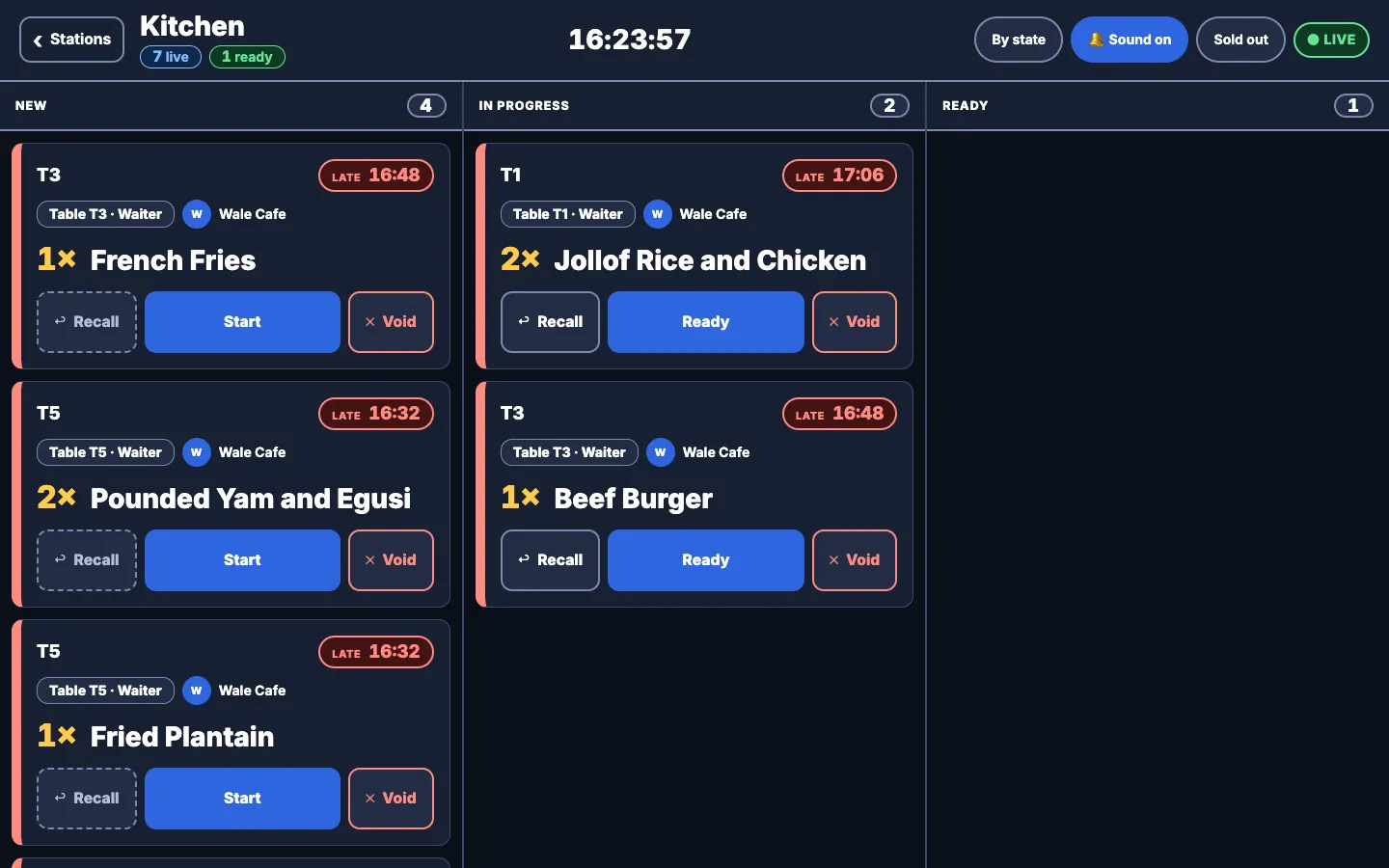
| Kitchen and bar screens | No | ✓ |
| Tips, prepaid tabs, transfer matching | No | ✓ |
| Comps, voids and audit log | No | ✓ |
| Guests order from the table | No | ✓ |
| Online orders from a public menu link | No | ✓ |
| 24-hour offline till | No | ✓ |
| Profit and loss, balance sheet, cash flow | ✓ | ✓ |
Yes, on Enterprise. You get a floor plan, tabs, split and merged bills, kitchen and bar screens, tips and bank transfers matched to the right bill.
No. It runs a hotel's restaurant, bar and lounge, with tabs, bills and accounts. It does not handle room bookings or check-in.
Yes, on Enterprise. Split by item, by seat or equally, merge two tabs, or move a guest to another table.
Yes, on Enterprise. Guests order, follow their order, see the bill and ask for a server from their phone. Professional includes a menu guests can view.
Transfers in your bank feed are matched against open bills. A clear match is confirmed for you, and anything unclear goes to a short list for a manager to match.
Yes, on Enterprise. Use a prepaid tab that the guest tops up in advance, or charge the bill to a customer account.
Yes, on Enterprise. Voids, comps, discounts, table transfers, write-offs, tab merges, splits, tips and prepaid funding are recorded in an audit log, and a comps report shows what was given away.
No. Combo and bundle items take out their component items. Recipes are kept in Production and do not take stock out at the till.
Table service, kitchen and bar screens, tips, guest ordering and online orders are on the Enterprise plan,. Professional includes the till, purchasing, stock counts and a QR menu guests can view. See the pricing page.
On Enterprise, guests who scan the table code can see the bill and get your bank transfer details or an optional payment link. Transfers in your bank feed are then matched to the right bill.
On Enterprise, an approved till keeps selling for up to 24 hours with no connection and syncs when the network is back. The Professional plan does not include the offline till.
Yes. Cost each recipe, count your stock, invoice the corporate client and track who still owes you. Recipes and stock counts are on Professional and up. Table service, kitchen and bar screens suit dining rooms and bars, and are on Enterprise.
Bank transfers in your bank feed are matched against open bills. A clear match is confirmed for you, and anything unclear waits in a short review list for a manager (Enterprise). Tips are recorded separately from the bill. Regulars and corporate guests can top up a prepaid tab and drink against the balance, or put a bill on a customer account and pay later. Unpaid and part-paid bills sit in one list, with a write-off request when a bill will not be recovered.
On Enterprise, open tabs and add rounds, sending each round to the kitchen or bar when you are ready. Split a bill by item, by seat or equally, merge two tabs, or move a guest to another table. Tell Simplebks which categories go to which station and override it for a single item; staff bump an order when it is ready and recall it if it was a mistake. Mark an item sold out by hand, branch by branch: it is hidden from the guest menu and staff cannot add it to a table until you mark it available again. Add your tax and service charge once in settings and every bill carries them.
A comp applies to the whole bill, not to single items. An audit log records voids, comps, discounts, table transfers, write-offs, tab merges, splits, tips and prepaid funding. Run a stock count and record each shortfall as missing, damaged, promotion or stolen. Combos and bundles take their component items out of stock when sold. Buy by the crate and sell by the bottle: each product carries its own conversion.
Guests open the menu on their phone with no app to install. Professional and Enterprise publish the menu for guests to view. On Enterprise you can print a QR placard for each table, and guests scan it to order, follow their order, see the bill, ask for a server and get bank transfer details or an optional payment link. Each guest can see the whole bill, their own items or an equal split, and ask for the receipt by WhatsApp or email. Enterprise also takes online orders from a public menu link for the order types you switch on (dine-in, takeaway or delivery), with a queue where staff accept, reject and fulfil them.
Raise purchase orders to suppliers, receive them in parts and pay against them. Every sale, purchase and expense posts to your accounts. The profit and loss statement, balance sheet and cash flow are on Professional and Enterprise.
Open a tab and watch stock and books update with it.